
DMX-Controlled Fog Machines: Integration Guide
- Why DMX-Controlled Fog Machines Matter for Live Events
- Use cases and production value
- Benefits of DMX integration compared with manual control
- DMX Basics and Wiring for Fog Machines
- Understanding DMX512 and channel mapping
- Wiring, connectors and termination
- Planning and Integrating Fog Machines into Your System
- Assessing show requirements and selecting the right machine
- Synchronization with lighting and audio
- Operation, Maintenance and Safety
- Operational checklist and troubleshooting
- Maintenance and safety considerations
- Advanced Integration: Multi-Device Sync, Wireless and Customization
- Synchronized multi-device setups
- Wireless DMX and remote control
- Custom casing, branding and system extension
- Siterui SFX: Manufacturer Capabilities and Product Summary
- FAQ
- 1. What is the difference between a fog machine and a haze machine?
- 2. Can I control multiple fog machines from a single DMX console?
- 3. Is DMX safe to use with fog machines near smoke detectors?
- 4. What type of fog fluid should I use for indoor shows?
- 5. How often should I perform maintenance on a DMX-controlled fog machine?
- 6. What if I need a custom DMX feature set or wireless control?
- References
Why DMX-Controlled Fog Machines Matter for Live Events
Use cases and production value
Fog machines remain one of the most effective stage special effects to shape light, add atmosphere, and punctuate musical or dramatic moments. When controlled via DMX, fog machines provide precise, repeatable cues for concerts, theater, broadcast, film sets, corporate events, and themed attractions—enabling timed bursts, variable output, and synchronization with lighting and audio systems. Commercial keywords like buy fog machines, professional fog machines, and stage fog machines are natural searches for event buyers planning integrated effects rigs.
Benefits of DMX integration compared with manual control
Compared to manual or simple remote-control devices, DMX integration offers:
- Centralized control from lighting consoles or show controllers
- Preset scene automation and programming of complex cues
- Reduced staffing needs and improved safety through remote operation
- Sync with light, sound and motion via timecode or console macros
DMX Basics and Wiring for Fog Machines
Understanding DMX512 and channel mapping
DMX512 is the industry-standard serial protocol for stage equipment control. A typical DMX-enabled fog machine exposes 1–4 channels to control features such as master output, pulse/continuous mode, fan speed, and volume. A basic channel map might look like this:
| Channel | Common Function | Typical Range / Behavior |
|---|---|---|
| 1 | Master Output | 0–255 = off to full output |
| 2 | Pulse / Burst Trigger | 0 = off, 1–255 = trigger with variable length |
| 3 | Fan Speed | 0–255 = low to high |
| 4 | Heater Mode / Service | Mode selection or reserved |
Always consult the manufacturer’s manual for the exact channel map for the model you purchase. DMX assignments vary by brand and model.
Wiring, connectors and termination
Real-world best practices for DMX wiring:
- Use DMX-compliant cable (shielded twisted pair). Though 3-pin XLR is sometimes used, the standard calls for 5-pin XLR to avoid pin conflicts.
- Chain devices in a daisy-chain topology; do not star-wire from a single output.
- Set a 120-ohm terminator on the last fixture in the DMX chain to prevent reflections and data errors.
- Keep cable runs under recommended limits (typical maximum ~300 meters for reliable DMX without boosters/repeaters).
Planning and Integrating Fog Machines into Your System
Assessing show requirements and selecting the right machine
When planning, consider:
- Effect type: continuous haze vs. instantaneous bursts vs. dense low-lying fog
- Venue size: pump power and fluid consumption scale with volume and frequency of use
- Warm-up and response times: faster machines facilitate rapid cues but may consume more power
- DMX feature set: number of channels, fan control, and external trigger options
| Feature | Theatrical Fog Machine | Concert/Club Fog Machine |
|---|---|---|
| Typical output | Even, long-lasting atmosphere for light beams | High-volume bursts for dramatic hits |
| DMX complexity | Usually basic (1–2 channels) | Often multi-channel with fan and pulse control |
| Fluid consumption | Moderate to low | High during frequent bursts |
Example specification ranges (typical): warm-up 3–15 minutes, tank size 1–5 liters, output per burst variable. Always verify per-model specs from manufacturers for planning load and logistics.
Synchronization with lighting and audio
For live shows, the visual impact is greatest when fog cues are synchronized with lighting and audio. Common methods:
- Direct DMX control from the lighting console with programmed cues
- MIDI or timecode triggers linked to playback systems (show control racks translate to DMX)
- Networked show control (e.g., Art-Net or sACN to DMX gateways) for distributed systems
For tight timing, preprogram triggers and allow for the fog machine’s response latency (heater recovery, pump priming).
Operation, Maintenance and Safety
Operational checklist and troubleshooting
Pre-show checklist:
- Verify DMX addressing and signal integrity with a DMX tester or console readback
- Confirm fluid levels and correct fluid type — using wrong fluids risks clogging and fire hazards
- Warm up machine according to the manual; verify heater reaches operating temperature
- Test trigger response and fan behavior at low settings before showtime
Troubleshooting common issues:
- No response to DMX — check DMX address, cable polarity, termination, and console output
- Low output — check fluid viscosity, blockages in nozzle, fan speed, or heater performance
- Intermittent output — inspect pump and tubing for air locks; run a purge if instructed by manufacturer
Maintenance and safety considerations
Safety and longevity hinge on regular maintenance and regulatory compliance:
- Use manufacturer-approved fluids. Many fog fluids are water mixed with glycols (propylene glycol or glycerin); low-odor and oil-free options exist for indoor use.
- Perform routine cleaning cycles and change fluids per manufacturer schedules to avoid residue buildup in heaters and nozzles.
- Observe local laws and venue policies for pyrotechnics, smoke detectors, and ventilation. Coordinate with venue technical staff and fire marshals when necessary.
- Document maintenance and calibrate DMX addressing during tech rehearsals.
| Problem | Likely Cause | Action |
|---|---|---|
| Fog not dense enough | Low fluid, poor fluid choice, low heater temp | Refill with correct fluid, check heater temp |
| Pulsing output | Pump air lock, inconsistent DMX | Prime pump, check DMX continuity |
| DMX data errors | No termination, long cable run | Install terminator, shorten run or use booster |
Advanced Integration: Multi-Device Sync, Wireless and Customization
Synchronized multi-device setups
For large shows, multiple fog machines are often synchronized to produce sweeping effects or timed staccato bursts across a stage. Best practices:
- Assign contiguous DMX addresses and use master/backup strategies to avoid single-point failure.
- Use show-control systems (timecode, sACN, Art-Net) to ensure deterministic timing across devices.
- Test inter-device latency during rehearsals and add milliseconds of offset where necessary for perceived simultaneity.
Wireless DMX and remote control
Wireless DMX systems can reduce cable runs but add potential points of failure (RF interference, battery management). When using wireless DMX:
- Always plan for fallback wired DMX if the show is critical.
- Secure antennas and ensure line-of-sight where possible.
- Follow manufacturer guidance for channel selection and encryption if available.
Custom casing, branding and system extension
Professional productions often require custom enclosures, integrated wireless control, synchronized multi-device setups, or special mounting solutions. Work with manufacturers who offer flexible customization to ensure the effects meet both creative and regulatory needs.
Siterui SFX: Manufacturer Capabilities and Product Summary
Siterui SFX is a professional manufacturer engaged in the research and development, production, sales, and service of professional stage special effects (SFX) equipment. With a highly skilled team and cutting-edge technology, we are committed to providing innovative, reliable, and high-performance SFX solutions for live events, theaters, concerts, film production, and entertainment venues worldwide.
At Siterui SFX, we understand that every stage, event, and creative concept is unique. That’s why we offer flexible customization services to meet your specific needs—whether it's branding, special functions, size adjustments, or complete system integration.
From custom casing and logo printing to wireless control systems and synced multi-device setups, our expert team works closely with you to design SFX solutions that align perfectly with your needs.
Our commitment to quality and innovation ensures that our clients receive cutting-edge effects that enhance the visual and sensory experience of every performance. We pride ourselves on exceptional customer service and continuous advancement, positioning Siterui as a trusted partner in the professional special effects industry.
Key Siterui SFX products and advantages:
- Product range: spark machine, Haze Machine, CO₂ Jet Machine, Bubble Machine, Snow Machine, Foam Machine, Confetti Machine, fog machine, fire machine, dry ice machine.
- Customization: branding, control protocols (DMX, Art-Net, wireless DMX), mounting and casing modifications.
- Technical advantages: rigorous R&D, quality control, multi-device synchronization expertise, global after-sales support.
Competitive differentiators:
- End-to-end service from R&D to global support—reduces supplier fragmentation.
- Flexible customization that aligns with creative briefs and venue constraints.
- Focus on durability and serviceability for touring and rental markets.
If you have an upcoming event or need a customized fog machine setup integrated into your DMX rig, contact Siterui SFX for consultation, design, and pro-level implementation.
FAQ
1. What is the difference between a fog machine and a haze machine?
Fog machines produce dense, visible bursts or clouds of particulate that obscure and reveal lighting; haze machines produce a fine, nearly invisible mist that enhances light beams without blocking visibility. Choose haze for continuous atmospheric enhancement and fog for dramatic, momentary effects.
2. Can I control multiple fog machines from a single DMX console?
Yes. Assign separate DMX addresses to each machine or group machines into addresses for grouped control. For large numbers of devices, use Art-Net or sACN gateways and ensure proper addressing and termination. Always test timing and latency during rehearsals.
3. Is DMX safe to use with fog machines near smoke detectors?
DMX is only the control protocol. Safety concerns relate to the fog/smoke density and placement relative to detectors. Coordinate with venue staff and fire marshals. Use low-output haze or detector-suppression strategies approved by venue policy where necessary.
4. What type of fog fluid should I use for indoor shows?
Use manufacturer-approved, low-odor, water-based fluids (typically propylene glycol or glycerin-based). Avoid oil-based fluids indoors. Always follow material safety data sheets (MSDS) and venue ventilation guidance.
5. How often should I perform maintenance on a DMX-controlled fog machine?
Perform basic checks before every show (fluid level, DMX address, cable integrity) and a deeper service every 3–12 months depending on usage. Annual professional servicing is recommended for rental and touring gear.
6. What if I need a custom DMX feature set or wireless control?
Work with a manufacturer that offers customization and system integration. Siterui SFX provides custom firmware, wireless control, and multi-device synchronization services to meet complex creative requirements.
Contact us for personalized advice, quotes, and system design. To explore Siterui SFX products and custom solutions, request a consultation or view our product catalog.
References
- DMX512 — Wikipedia: https://en.wikipedia.org/wiki/DMX512 (accessed 2026-01-11)
- Fog machine (principles and fluid types) — Wikipedia: https://en.wikipedia.org/wiki/Fog_machine (accessed 2026-01-11)
- Chauvet DJ product resources and manuals (typical fog machine specs): https://www.chauvetdj.com (accessed 2026-01-11)
- Rosco technical articles on haze and fog for theaters: https://www.rosco.com (accessed 2026-01-11)
- HSE / venue safety guidance (UK Health and Safety Executive): https://www.hse.gov.uk (accessed 2026-01-11)
If you need tailored system drawings, DMX addressing templates, or a quote for custom fog machine builds and multi-device integration, contact Siterui SFX for a professional consultation.
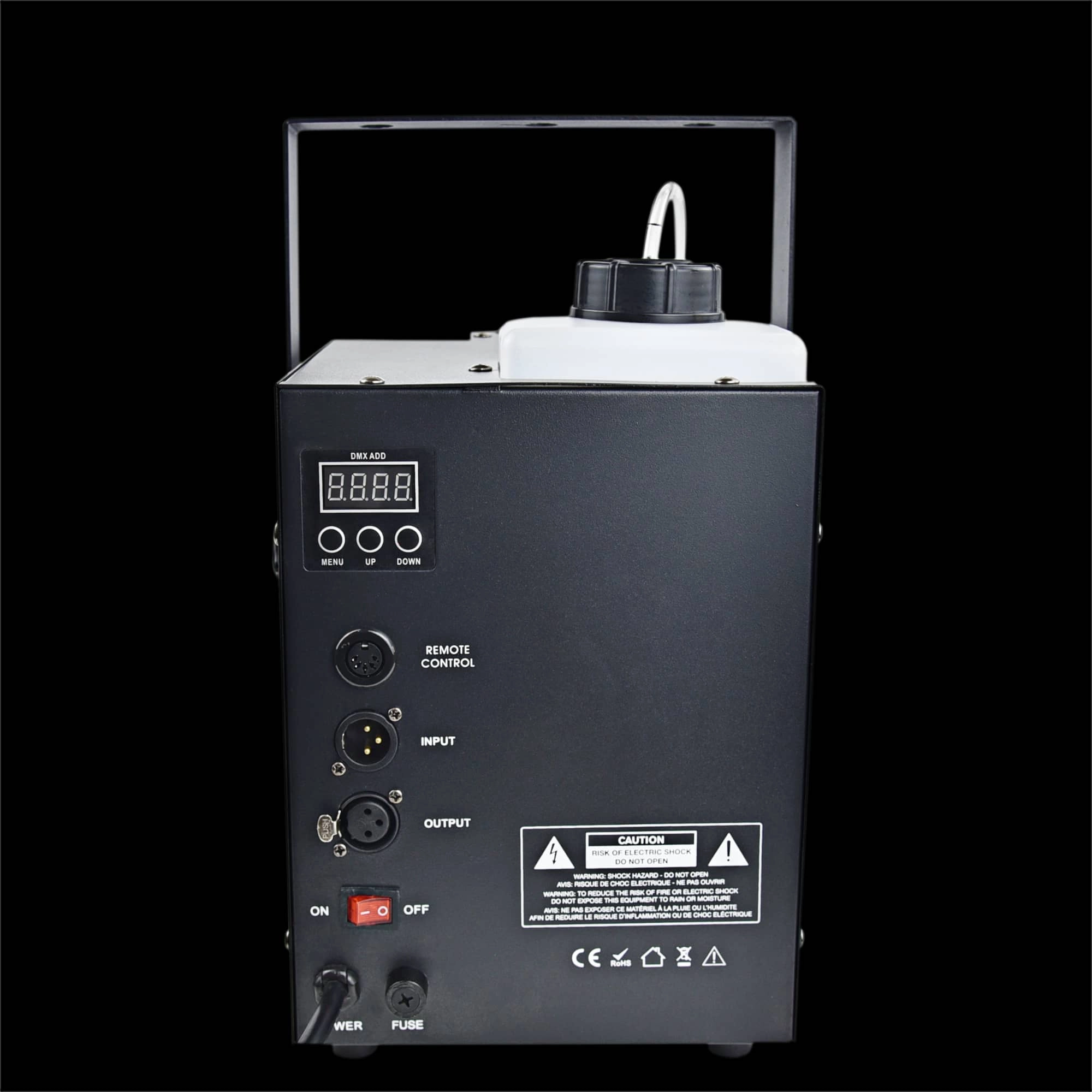
How a 1200W Haze Machine DMX Improves Concert Atmosphere
Ventilation and safety regulations for fog effects
Fog Machine vs Haze Machine: Key Differences
Combining Fog and Lighting for Dramatic Effects
About us
What after-sales support does Siterui provide?
Rapid response and resolution for installation, training, and maintenance issues.
How does Siterui ensure product quality?
Rigorous inspections at every stage—production, assembly, and final QA—guarantee flawless devices.
What are the team members’ backgrounds?
Engineers (15+ years), production staff (4–12 years), designers (10+ years), IT specialists (CAD/PS), and sales professionals (8+ years).
FAQs
How can I contact Siterui for product inquiries or support?
Single-Head CO2 Jet Machine
Can this machine be used outdoors?
Yes, but avoid extreme weather conditions to ensure longevity and performance.
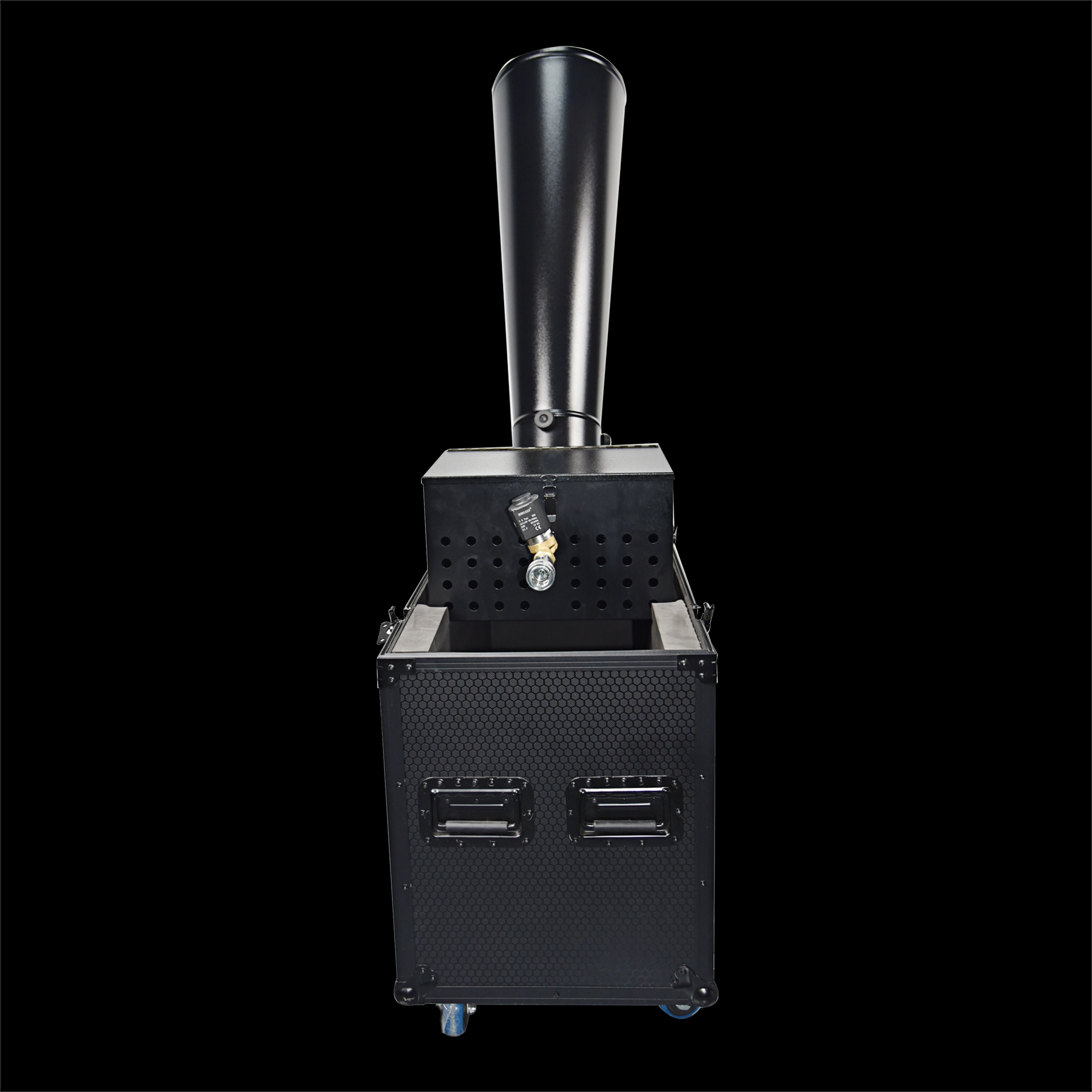
CO₂ Mini Rainbow Confetti Machine Manual Control with Durable Black Wheeled Flight Case
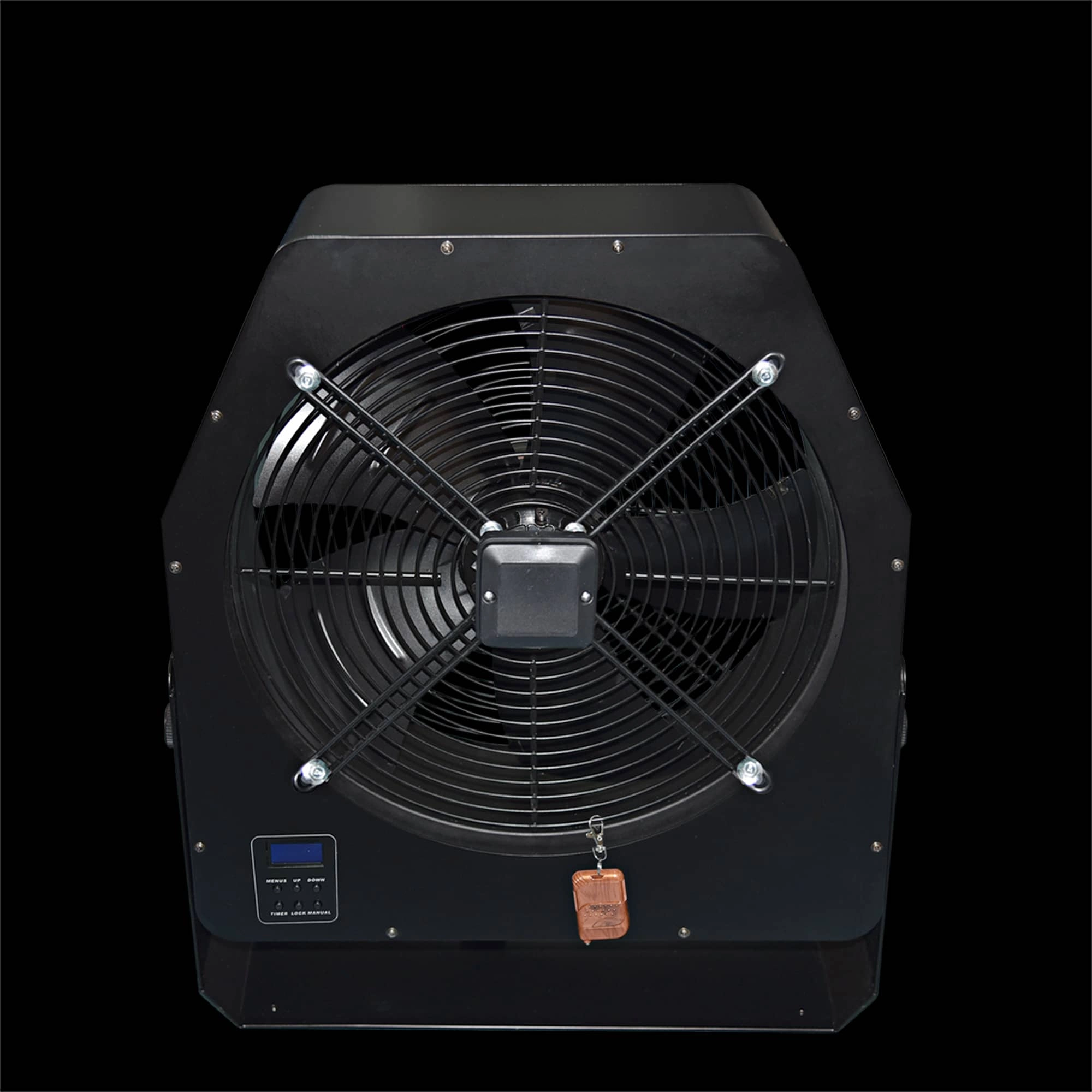
Professional Stage Big DMX Fan | High-Power Event Fan for Stage Shows & Celebrations
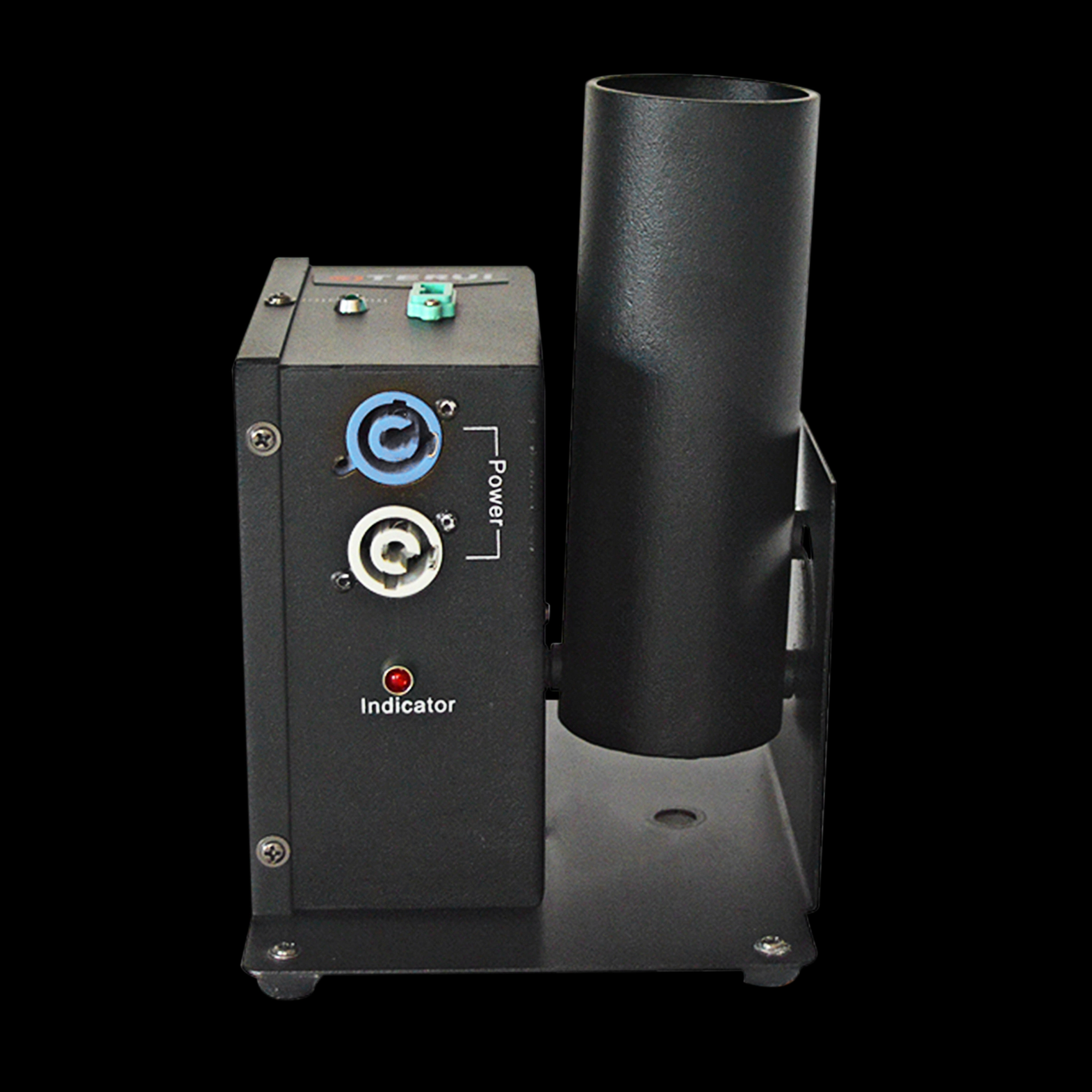
Single Shot Confetti Machine - Premium Confetti Launcher for Weddings & Stage Celebrations
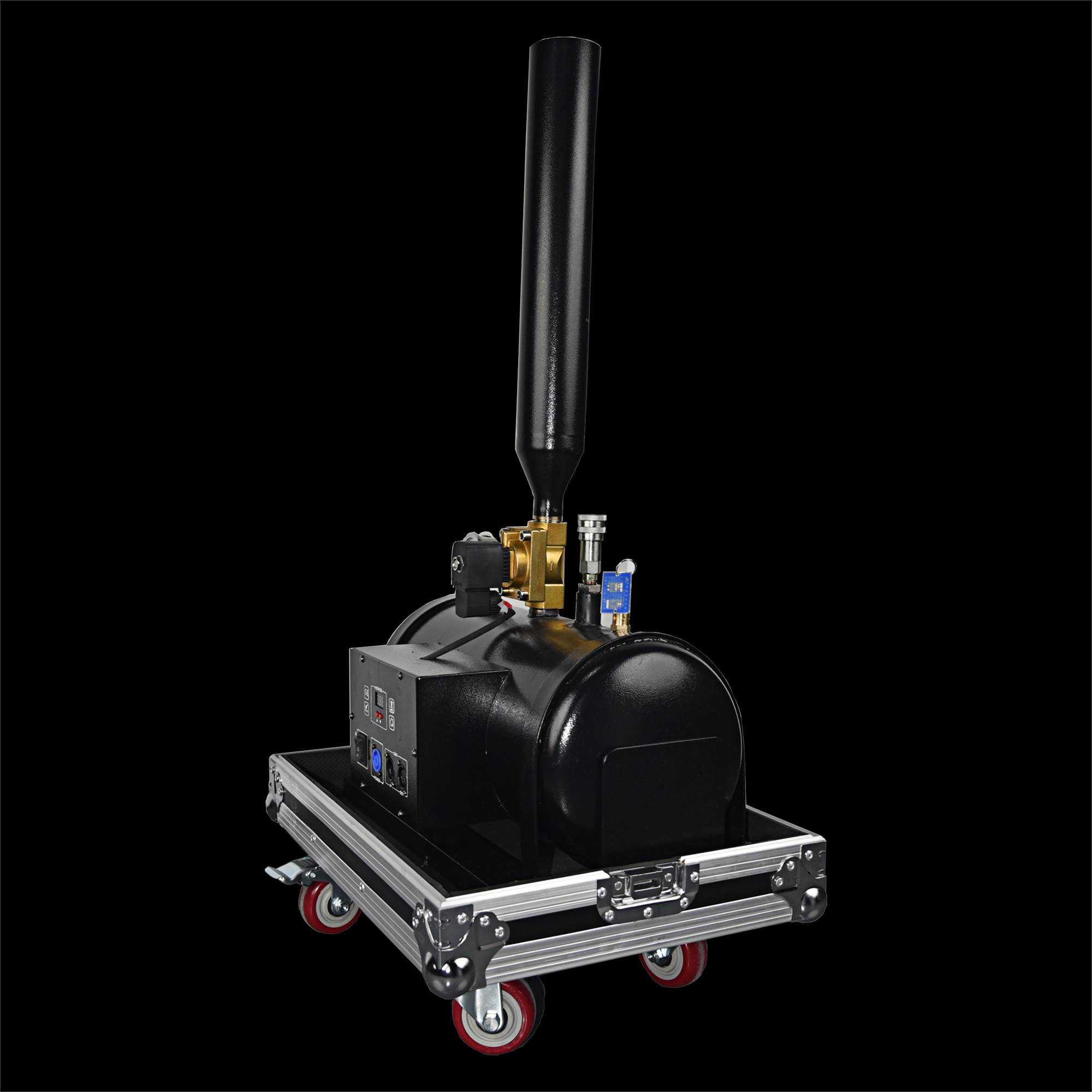
High-Altitude Confetti Cannon - Professional Confetti Blaster for Stage, Party & Celebration Events
Email: sales01@strlighting.com
WhatsApp: +86 189 2232 4800
© 2025 Siterui SFX All Rights Reserved.
 Scan QR Code
Whatsapp: +8618922324800
siteruisfx_stage_equipment
Siterui
SITERUI-SFX
STRlighting
@siterui.sfx