
How to troubleshoot common fogging machine problems?
As a stage special effects professional, I’ve compiled six long-tail, beginner-focused questions about fogging machines that are often answered superficially online. Each section below gives step-by-step diagnostics, safe repair/maintenance actions, and prevention practices that align with manufacturer guidance and SDS safety advice. These answers embed real troubleshooting techniques—heater block checks, pump priming, nozzle cleaning, fog fluid compatibility, DMX diagnostics, and residue control—so you can make informed purchase and maintenance decisions.
1) Why does my fogging machine produce weak or intermittent fog even when the fluid reservoir is full and the unit warmed up?
Problem synopsis: Full tank and normal warm-up time, but fog output is thin, sputtering, or stops after short bursts. This is one of the most common, misdiagnosed faults that beginner users face.
Step-by-step diagnostics and fixes:
- Check fluid type and viscosity: Verify you’re using manufacturer-recommended fog fluid (water/glycol or glycerin-based). Incorrect fluid or a high-viscosity mix reduces pump flow and fog output density. If you recently changed fluids, flush and refill with the correct fluid.
- Inspect suction tube and tank pickup: Remove and inspect the fluid pickup tube for kinks, paint chips, or sediment. Prime the pump by gently squeezing the pickup tube (if accessible) while in manual mode—air in the line will cause weak intermittent output.
- Listen for consistent pump noise: A healthy pump produces steady, regular sound. If the pump clicks or runs inconsistently, it may be losing prime or failing. Temporary fix: switch to manual output or prime as above. Permanent fix: replace pump or pump diaphragm per manufacturer instructions.
- Check the heater block temperature and warm-up: Small machines warm 5–10 minutes; larger racks can take longer. If the machine reaches operating temperature but fog remains weak, the heater element may be partially failed. Use the machine’s status LED or internal temperature readout (if provided). Never disassemble a hot heater; allow full cool-down, then test continuity with a multimeter or have certified service inspect the heating element.
- Look for partial nozzle blockage: A partially clogged nozzle restricts vapor flow and causes sputtering. Perform the nozzle-clean procedure in question 2 below.
- Confirm environmental factors: Low ambient temperatures, high airflow on stage, or excessive ventilation can thin fog output. Increase output density or add haze for persistent dispersion needs.
- Read the manual and SDS: Always check the machine manual and the fog fluid SDS (safety data sheet) for recommended cleaning agents and any explicit warranty cautions.
- Power down and cool: Turn off and unplug the machine. Allow the heater block to fully cool—hot metal-scale cleaning is dangerous.
- Use approved cleaning fluid: Many manufacturers recommend commercial fog machine cleaner or a distilled water and isopropyl mix for glycol-based residues. If the manual authorizes a DIY mix, use distilled water with a small percentage of isopropyl alcohol (manufacturer-dependent). Avoid harsh solvents unless explicitly allowed—these can damage seals and void warranties.
- External flush and manual nozzle clearing: Remove the nozzle tip per the manual. Soak nozzle tip in manufacturer-approved cleaning fluid. Use a soft, lint-free brush or cotton swab to remove deposits. Never insert metal wires into heated passages—this can damage the heater block.
- Run a cleaning cycle: Reassemble and run a manual cleaning cycle with the recommended cleaner—short bursts (5–10 seconds) followed by cooldown intervals. Repeat until output stabilizes. Follow with a distilled-water flush to remove cleaning residues.
- Inspect tubing and fittings: Sediment can deposit in suction tubes and connectors. Replace rigid or perished tubing. Use O-rings recommended by the manufacturer when reassembling.
- Verify power and fuses: Confirm the unit has correct mains voltage, that the power cord and connector are secure, and that internal or external fuses haven’t blown. If a fuse repeatedly blows, stop and seek professional inspection.
- Confirm pump operation: With the machine powered on and warmed per manual, switch to manual/continuous mode (if available). Open the fluid cap slightly and observe if the pump draws fluid. If you can hear the pump running but there's no suction, the pump may have lost prime or failed. If the pump is silent while power present, check pump wiring/connector and pump fuse or switch—do not disassemble wiring unless trained.
- Heat vs pump test: With the tank empty (or after removing pickup), run the unit in manual mode for a brief test. If the heater glows and you can hear the heating relay/element click but no fog is produced and pump is not moving fluid, it’s a pump delivery problem. If fluid is being pumped but no fog forms, it’s likely a heater issue.
- Use simple electrical checks: Measure heater element continuity with a multimeter per service manual steps. Also measure voltage to pump motor while operating (only if you’re qualified). Note: many modern machines have safety interlocks—check those too.
- Thermal protection/thermostat: Some units shut off heating if thermostat or thermal cutout is faulty. If the pump pumps and you still get no fog, inspect thermal sensors or software fault codes (check the user display or LED codes and the manual).
- Never mix fluid types: Do not mix oil-based and water/glycol fluids. Combining them can produce residues that clog nozzles and damage heater elements and seals.
- Check machine specification: The user manual or manufacturer site will state approved fluid chemistry (e.g., glycol/water or mineral oil). If unspecified, treat as glycol/water unless manufacturer confirms mineral oil use.
- Flushing when switching: To change fluid types, fully drain and flush the machine per manual. Run multiple flush cycles with the manufacturer-approved cleaner and distilled water until output is clear. Replace tubing if it shows solvent attack, swelling, or staining.
- Seal and component compatibility: Some elastomers swell or harden with certain solvents. If switching from glycol to oil-based fluids (or vice versa), inspect and replace O-rings, gaskets, and tubing that are not rated for the new chemistry.
- Manufacturer consultation: When in doubt, contact the equipment manufacturer or supplier (e.g., www.siteruisfx.com or sales01@strlighting.com) to confirm compatibility and approved fluids. Keep SDS documents for each fluid on file.
- Fluid chemistry residue: Oil-based fluids (mineral oil) can leave oily films; some glycol fluids can crystallize or leave sticky residues if overheated or used beyond recommended duty cycles.
- Overheating and thermal decomposition: Running a machine continuously at high duty cycles can overheat fluid in the heater block, causing thermal breakdown products that condense as white or sticky deposits. Prevent by respecting recommended duty cycles and warm-up/cool-down intervals.
- Uneven atomization/nozzle issues: A clogged or damaged nozzle can produce larger droplets that condense quickly, leaving wet residue. Regular nozzle maintenance prevents droplet-size issues and improves fog output density.
- Environmental factors: Low ventilation and cold surfaces cause condensation of larger droplets. Use haze or finer-output hazers when prolonged atmospheric effects are required in enclosed spaces.
- Use the recommended fluid for your intended visual effect and venue (glycol-based vs oil-based) and follow the SDS for ventilation requirements.
- Maintain duty cycles and avoid prolonged continuous full-power operation unless the unit is rated for it.
- Perform frequent nozzle and heater block cleaning and run distilled water flushes to remove residues before they polymerize.
- Provide adequate ventilation and plan fog cues to allow dissipation between heavy runs. Consider particle-size-adjusting accessories or switching to a dedicated hazer for sustained atmospheric effects.
- Start with manual test: If the machine responds to local/manual controls but not to DMX, focus on the control chain (DMX cable, controller, settings) rather than the machine’s core hardware.
- Check DMX cabling and termination: Use a good-rated DMX cable (not microphone cable), ensure proper daisy-chain wiring, and verify termination at the last fixture (120-ohm terminator). Faulty cables commonly cause intermittent control issues.
- Confirm DMX address and mode: Verify the machine’s DMX start address and channel mode on the unit matches the controller patch. Some units have DIP switches; others use menu-based addressing. Mismatched addressing appears as no response or incorrect behavior.
- Test with a DMX tester or alternate fixture: If available, use a DMX tester or swap in another DMX device that is known-good to confirm controller output. Alternatively, connect the suspect machine to a different controller to isolate the problem.
- Check protocol/firmware requirements: Some advanced fogging machines accept multiple protocols (DMX512, Art-Net, sACN). Confirm the unit and controller use the same protocol and consult firmware release notes—update firmware only following manufacturer instructions.
- Look for diagnostic LEDs and error codes: Many machines show DMX activity via an LED or display. If the unit shows DMX input but won’t respond, the internal decoder may be faulty—contact authorized service or the supplier.
When to call service: If pumping noise is erratic after priming, if the heater element shows open or erratic continuity readings, or if the unit trips thermal protection repeatedly—contact an authorized technician or supplier.
2) How do I safely unclog the fog machine nozzle and heater block without voiding the warranty?
Problem synopsis: Nozzle blocked with dried fluid or particulates; you want a safe, manufacturer-compliant cleaning routine that preserves warranty and prevents damage to the heater block or nozzle.
Safe unclogging procedure (manufacturer-friendly):
Prevention: Use high-quality fluid, follow the manufacturer’s maintenance schedule (monthly or weekly depending on use), and run distilled-water flushes between fluid changes. Keep a maintenance log to document cleaning and service (good for E-E-A-T and warranty claims).
3) How do I distinguish between a pump failure and a heating element/electrical fault when my fogging machine won’t produce fog at all?
Problem synopsis: No fog output. You must isolate pump (fluid delivery) issues from heater/electrical faults quickly and safely.
Diagnostic checklist (isolation steps):
When to escalate: If electrical measurements are outside specified ranges, or if replacing the pump or heater is beyond your comfort level, contact a certified service provider or your equipment supplier for warranty service or part replacement.
4) How can I confirm fog fluid compatibility when switching between water/glycol and oil-based fluids to avoid damaging seals and heater elements?
Problem synopsis: Using incorrect fog fluid can cause permanent damage—clogged heater blocks, swollen seals, or fire risk. Beginners often find conflicting guidance online about mixing fluids or using “universal” fluids.
Compatibility and safe-switching protocol:
Prevention: Standardize on one fluid chemistry across your fleet where possible and maintain a strict cleaning protocol when changes are unavoidable.
5) Why does my fogging machine leave oily residue, white powder, or sticky deposits on stage surfaces after long runs, and how do I prevent this?
Problem synopsis: Visible residues—oil films, white crystalline deposits, or sticky layers—appear on gear, props, or stage floors after prolonged fogging. This is common when using certain fluid formulas or when equipment maintenance is neglected.
Root causes and remediation:
Prevention checklist:
6) My fogging machine doesn’t respond to DMX or remote triggers—how do I isolate DMX addressing and control issues from hardware faults?
Problem synopsis: Cues fail to trigger; manual control works. You need to know whether the problem is DMX wiring, address/configuration, or the machine’s DMX decoder/firmware.
DMX troubleshooting workflow:
When to involve support: If cabling and addressing are correct but the unit still fails to respond to valid DMX signals (and manual operation works), the internal DMX board or firmware may need service. Contact vendor support (www.siteruisfx.com or sales01@strlighting.com) and provide model, firmware version, and a brief diagnostics log.
Maintenance schedule & quick reference (recommendation): For moderate professional use: weekly visual inspections, monthly nozzle and tubing checks, and a full cleaning/flush every 1–3 months depending on duty cycles. Keep SDS for fluids, maintain a maintenance log, and use only approved cleaners and parts to preserve warranty and reliability.
Safety notes: Always follow the fog fluid SDS and equipment manual. Ensure venue ventilation, respect heat and electrical safety, and never operate damaged or leaking equipment. Wear PPE when servicing if required and isolate power before internal inspection.
For replacement parts, warranty service, or compatibility advice, consult the manufacturer or an authorized supplier. Proper diagnosis—distinguishing pump issues from heater faults, verifying DMX wiring, and using manufacturer-approved cleaners—prevents costly downtime and protects stage equipment investments.
Concluding summary — advantages of buying professional fogging machines and working with an experienced supplier: Professional-grade fogging machines deliver consistent fog output density, duty-cycle ratings suited to production needs, certified electrical and safety features, and manufacturer support for parts and firmware. Working with a reputable supplier ensures correct fog fluid selection, authorized service, warranty protection, and access to OEM cleaning and replacement parts—reducing downtime and preserving stage safety. Implementing manufacturer-recommended maintenance, proper fluid chemistry, and DMX best practices extends equipment life and improves show reliability.
Contact us for a quote or technical advice: www.siteruisfx.com • sales01@strlighting.com
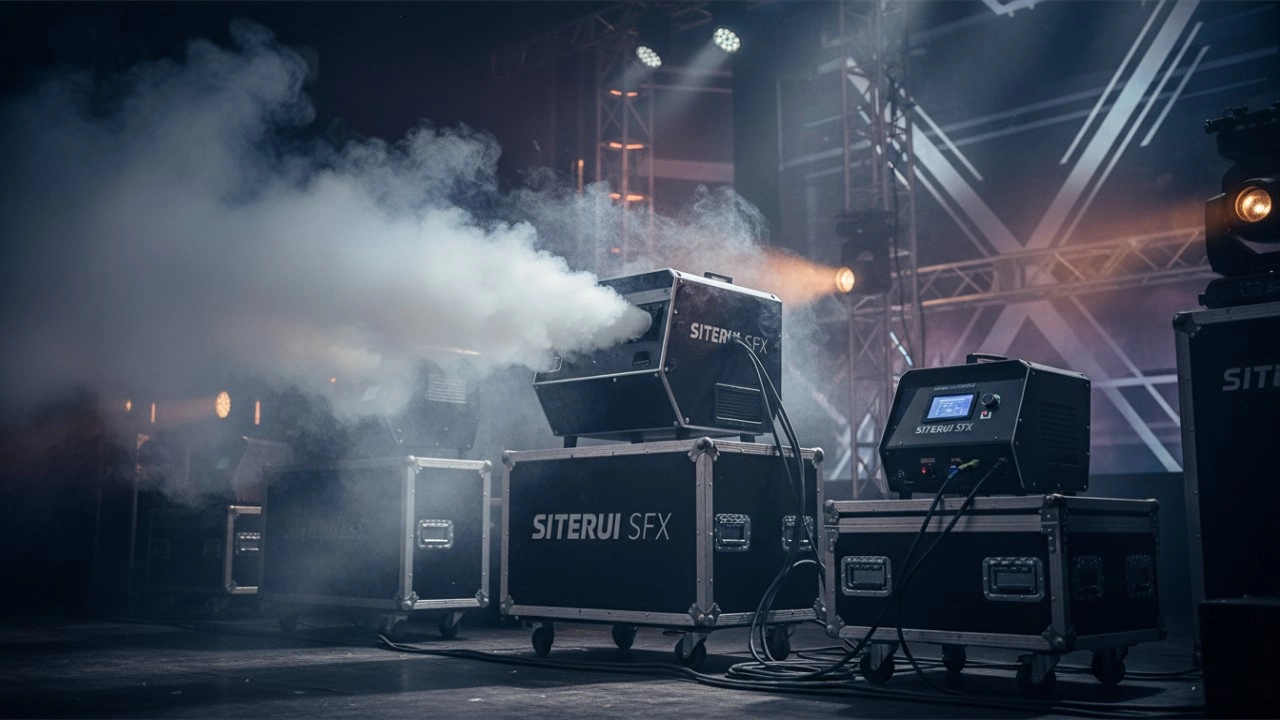
Comparing Professional Fog and Haze Machines for Stage Lighting in 2026
High-Impact CO2 Jet Systems for Electronic Dance Music Festivals in 2026
Advancements in Cold Spark Machine Technology for Indoor Events
Exploring Core Categories of Professional Stage Special Effects (SFX) Equipment
Recommended for you


Stay Informed or Connect with Us
Have questions about our latest news or updates?
Reach out to us—we're here to provide more insights or media support.
Email: sales01@strlighting.com
WhatsApp: +86 189 2232 4800
© 2025 Siterui SFX All Rights Reserved.
 Scan QR Code
Whatsapp: +8618922324800
siteruisfx_stage_equipment
Siterui
SITERUI-SFX
STRlighting
@siterui.sfx